
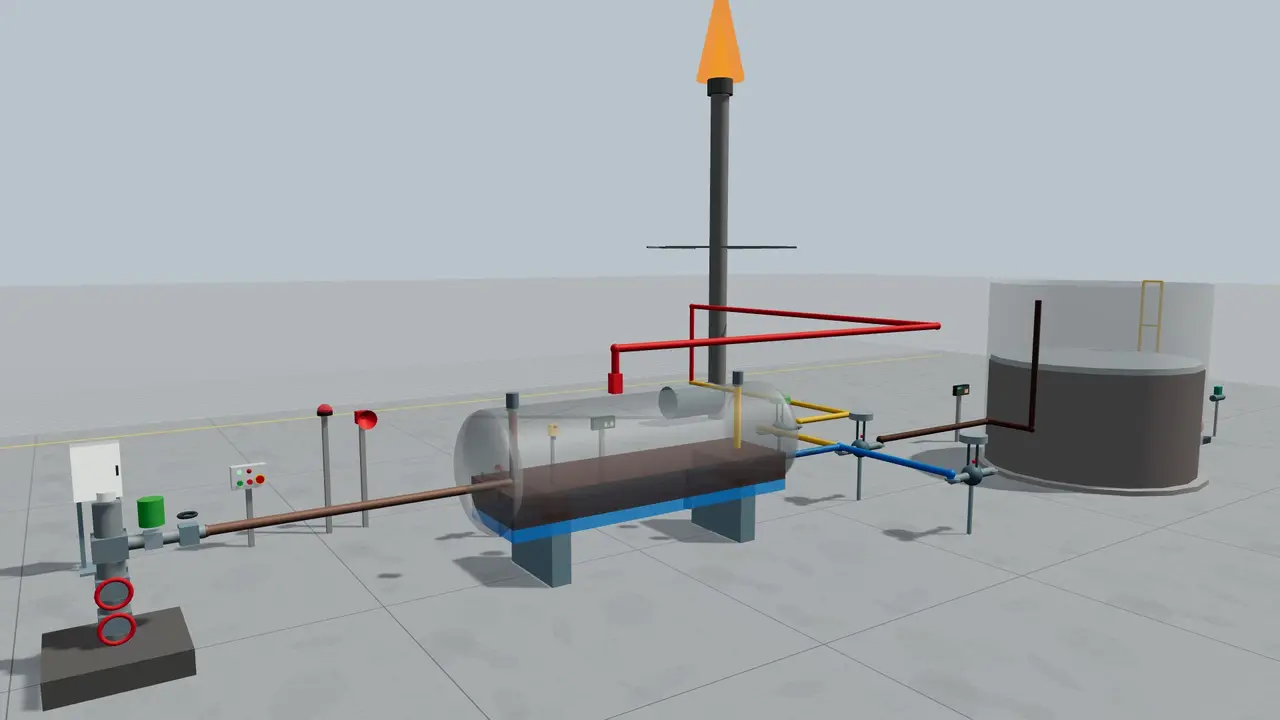
Running in Factory 3D, driven by PLC programs
Wire it. Run it. Find the fault.
A hands-on simulator for technicians. Build real electrical, PLC, instrumentation, solar and microcontroller circuits in your browser, watch them work in 3D, and learn by fixing what breaks.
Works on your phone or laptop. Free while in preview.
Reading about a holding circuit is one thing. Watching your own wiring hold in, trip on overload and refuse to restart is how it sticks.
- parts that behave like the real ones
- 311
- ready-made circuits to run and take apart
- 103
- lessons in 9 courses, each with a task and a quiz
- 161
- fault challenges you solve with the meter
- 280
Step inside what you built.
Most simulators stop at a diagram. Whitelabs I/O lets you open the cabinet, walk the factory floor and watch your program move real machines.
Factory 3D
Connect a PLC program to conveyors, robots, AGVs, stacker cranes, tanks and a wellhead. Press Run and the plant moves: boxes travel, sensors trip, valves open, the flare burns off gas.
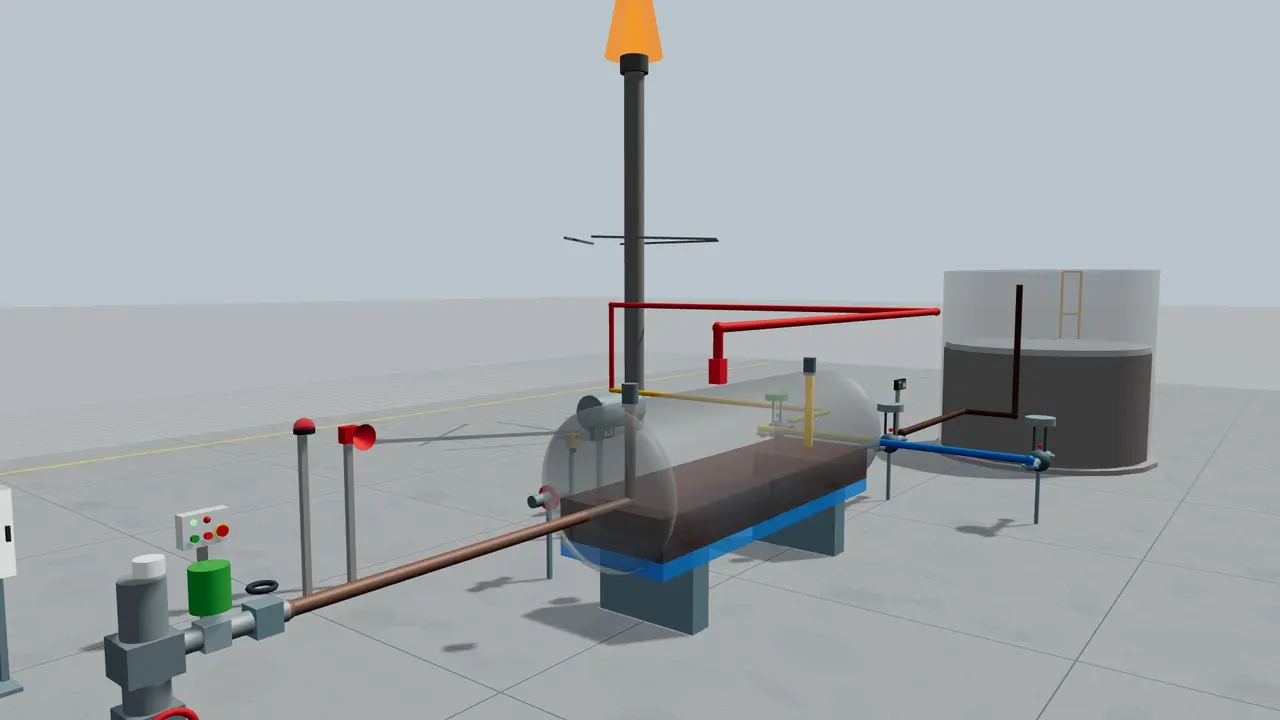
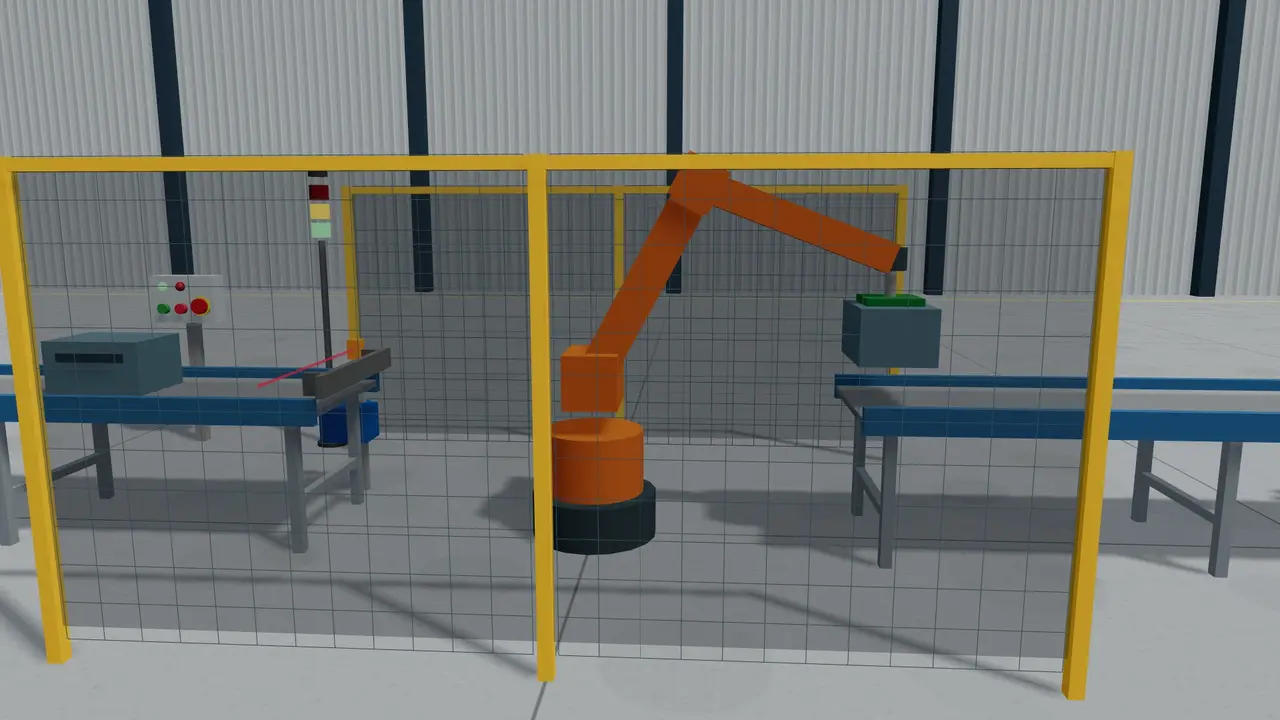
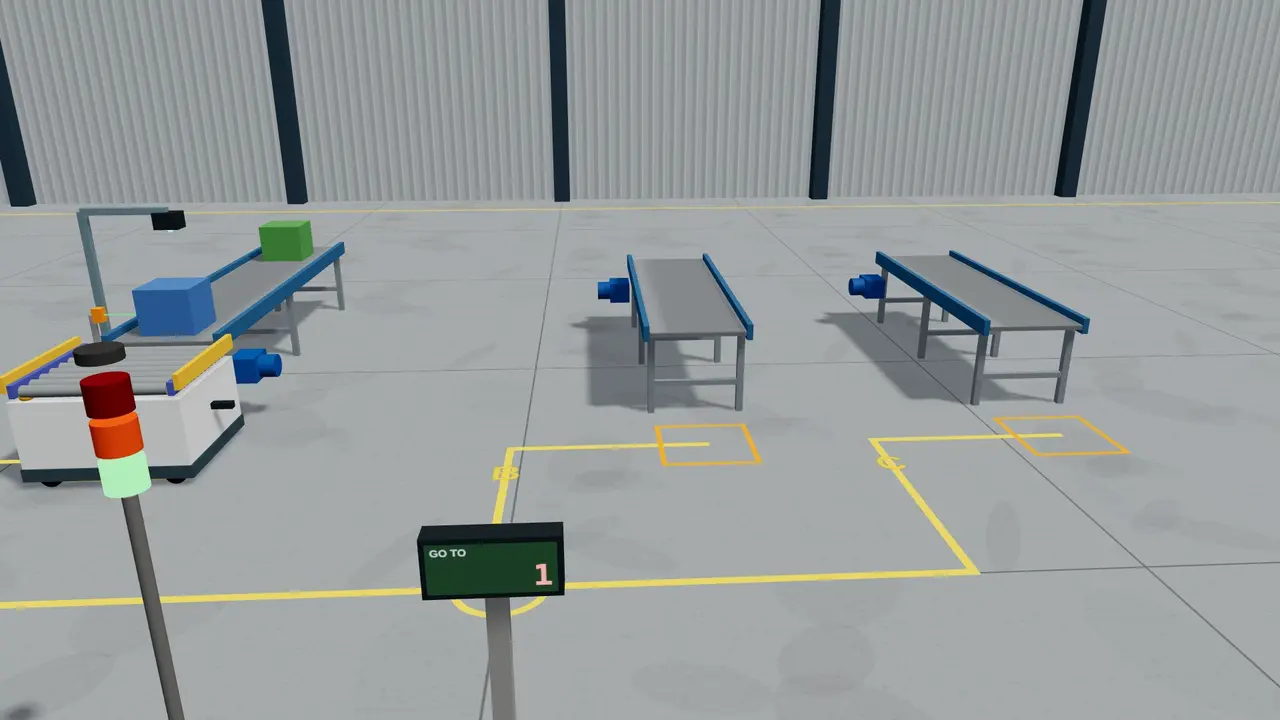
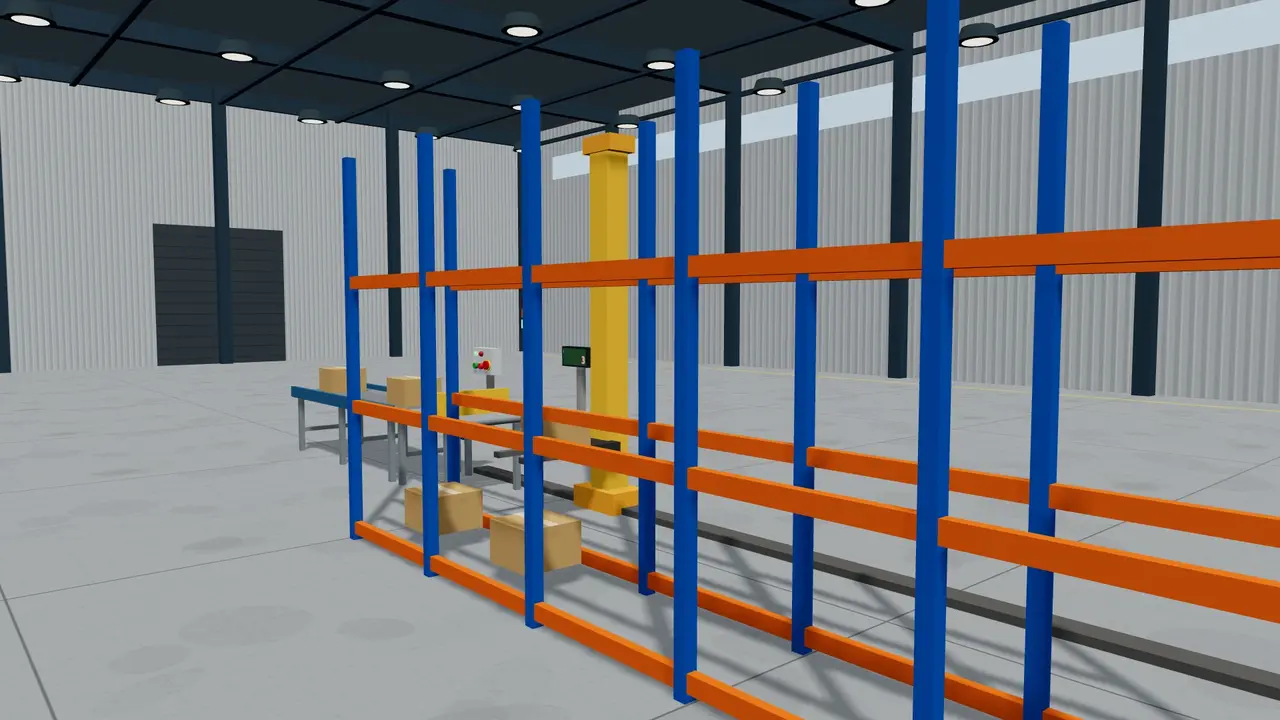
Your PLC drives it
Ladder or structured text with the same addresses as the lab: I0.0 is a real sensor, Q0.0 a real motor.
Walk the floor
Orbit and zoom, or switch to walk mode and look around at head height, on a phone or a laptop.
Build your own plant
Drag in conveyors, sensors, robots, racks, tanks, pumps and fences. Parts snap to what they belong to.
See the fault happen
A blocked sensor or a wrong timer shows up as boxes piling up, not as a red line in a table.
Open the cabinet door
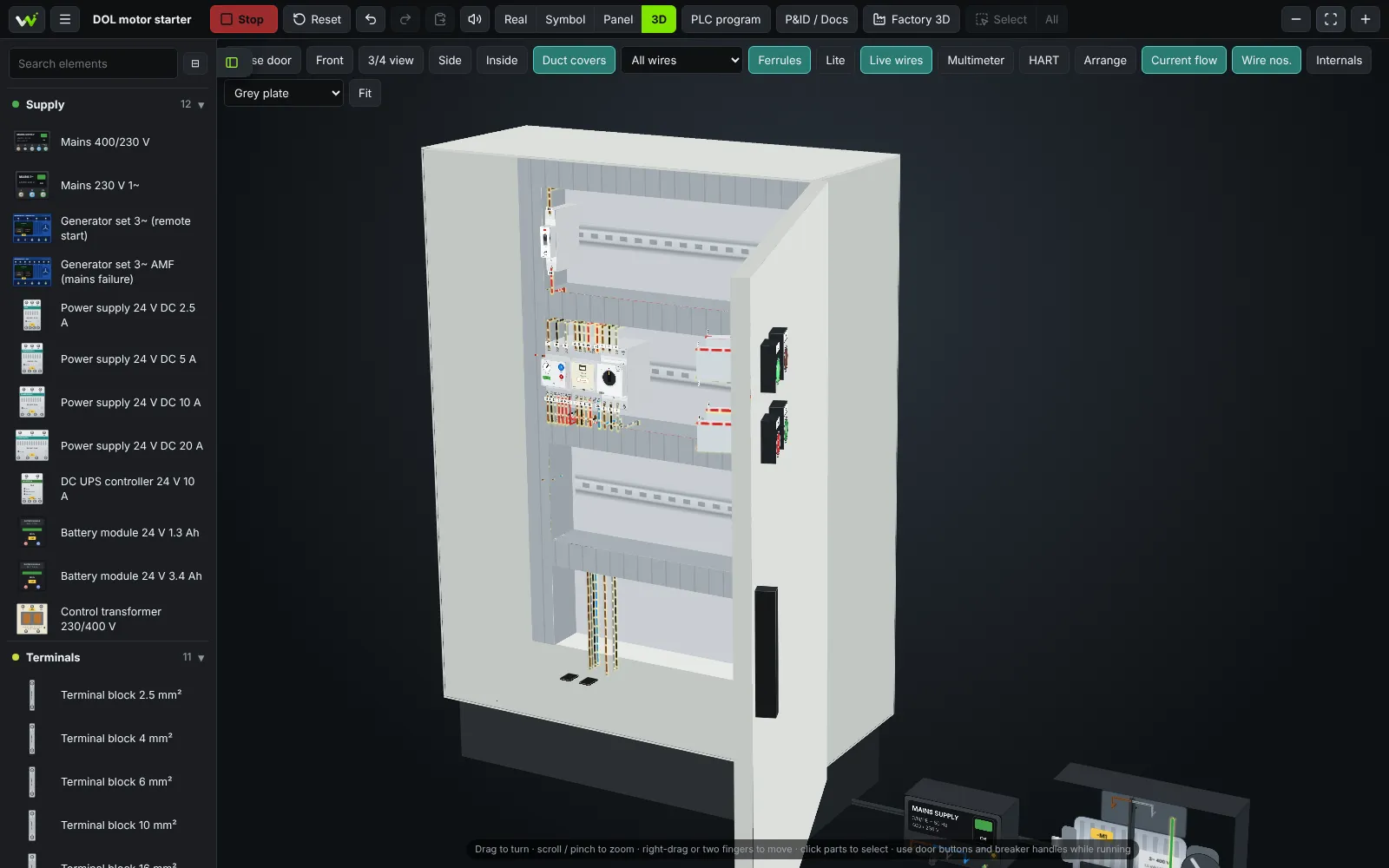
Every circuit you wire can be laid out in a real enclosure: DIN rails, trunking, door devices and the field outside. Then turn it in 3D, open the door and look in.
- Parts at their true size in millimetres, on the rails where they belong
- Ferrules, wire numbers and live current flow on every wire
- Trip a breaker by its handle and press the door buttons while it runs
- Probe terminals inside the cabinet with the multimeter
One circuit, four ways to see it
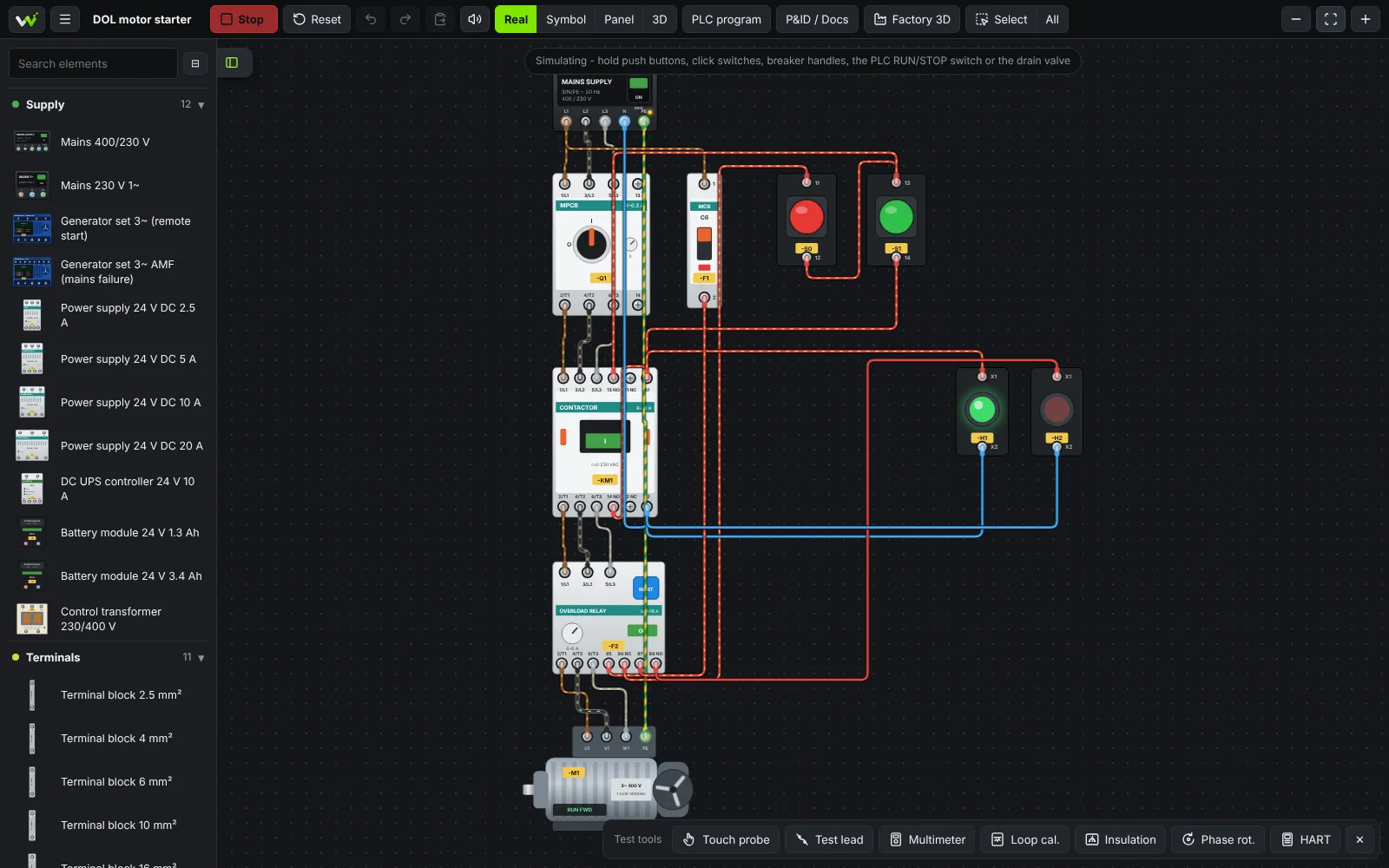
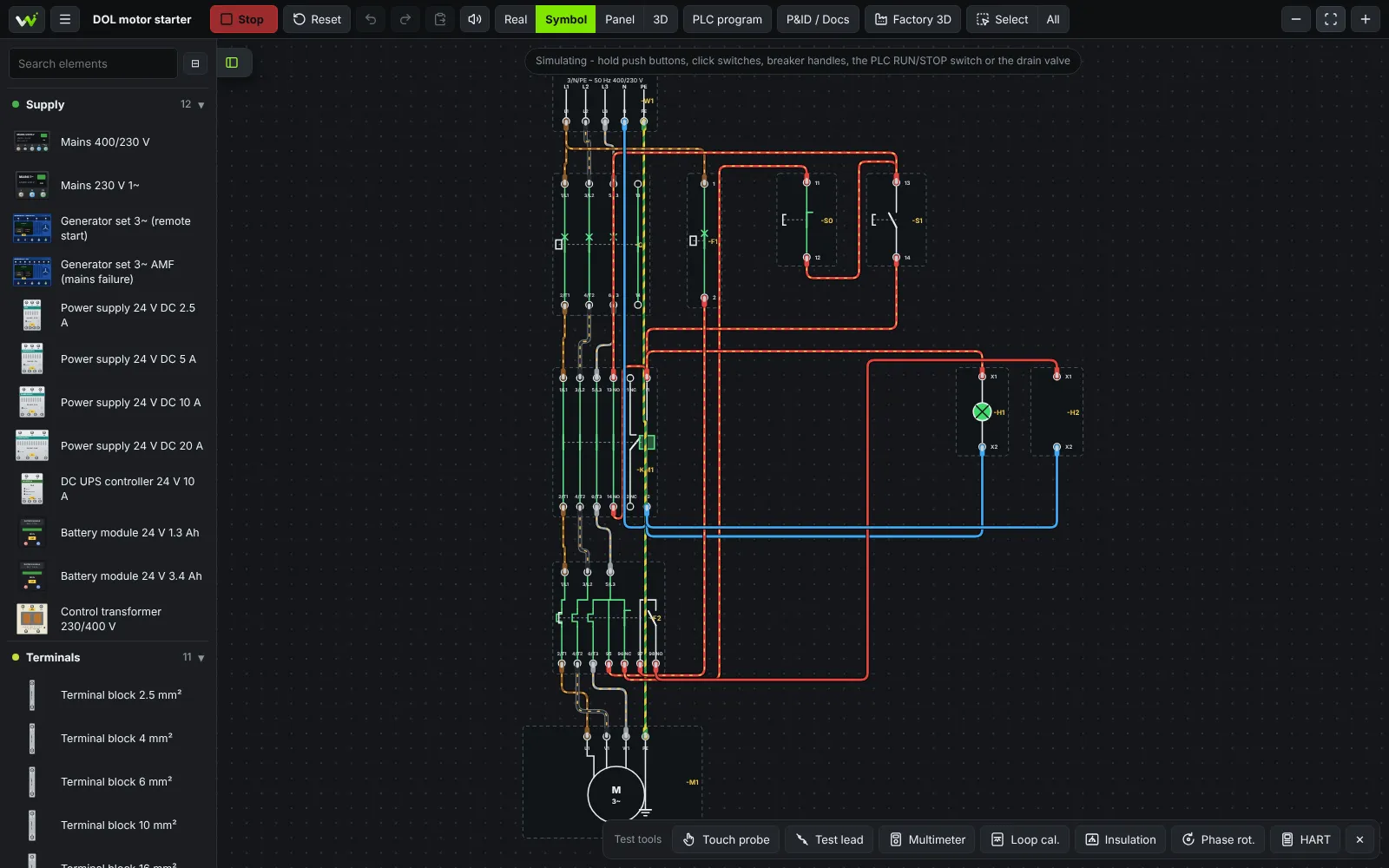
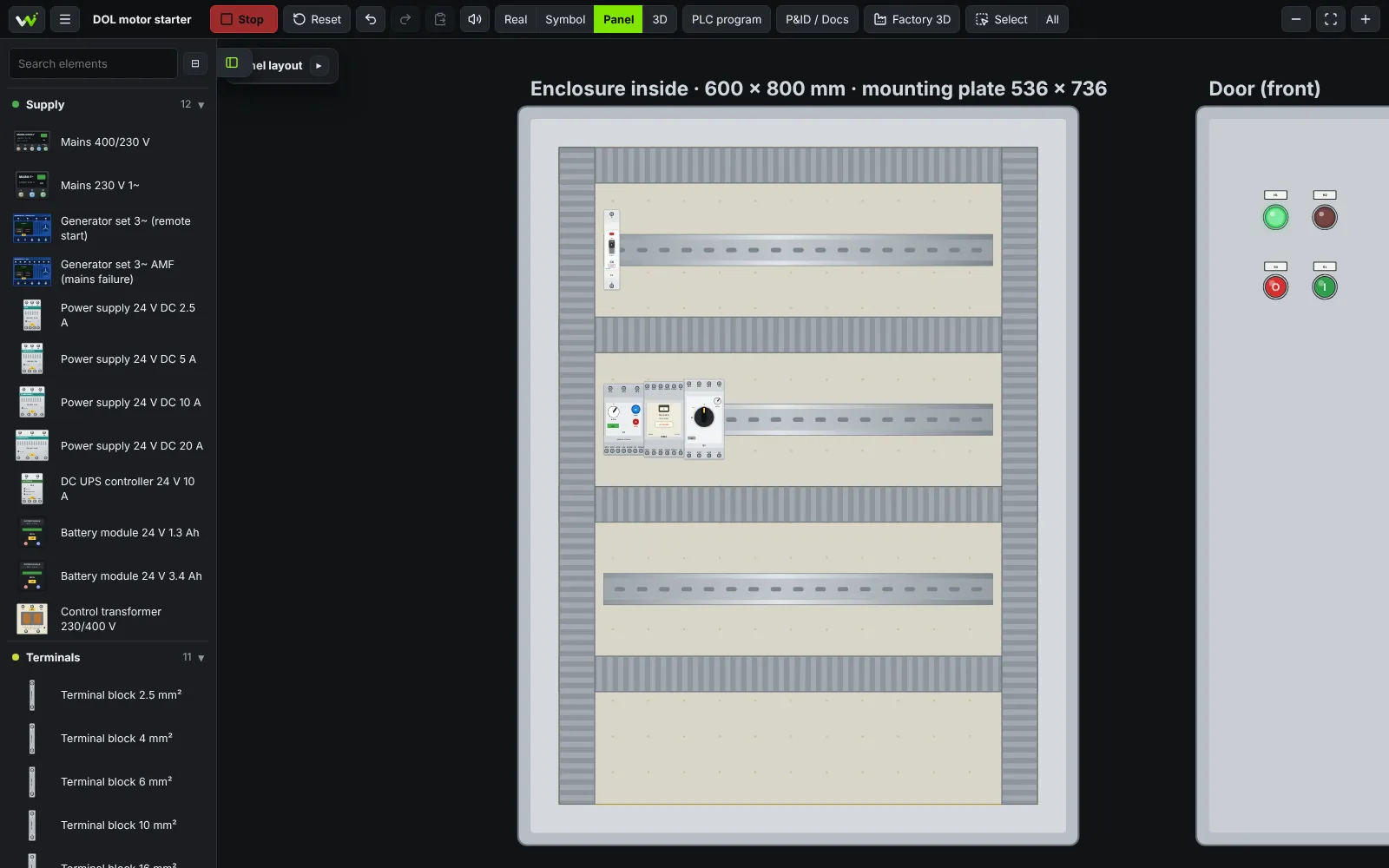
- Real. Parts look like the ones on the shelf, with their real terminal numbers. You wire terminal to terminal.
- Symbol. The same wiring drawn as a schematic, so you learn to read drawings from circuits you built.
- Panel. Lay it out on DIN rails and the door, at true size, the way a panel builder would.
- 3D. Turn the finished cabinet, open the door and follow each wire to where it lands.
What you can practise
Pick a track when you start a project and the lab shows the parts and tools for that trade. Switch on All parts to mix anything.
Electrical and motor control
Supplies, breakers, contactors, overloads, timers, star-delta, VFDs and distribution boards.
Instrumentation and PLC
Ladder and structured text, 4-20 mA loops, HART, PID control, HMIs, Modbus and PROFIBUS.
Microcontrollers and IoT
Arduino and ESP32 in C++, Raspberry Pi Pico and Pi 4 in Python, sensors, relays, motors and Wi-Fi.
Solar and backup power
Panels and strings, charge controllers, inverters, batteries, generators and changeovers.
Industrial fire and gas
Gas and flame detectors, fire and gas panels, cause and effect.
Fire alarm in buildings
Conventional and addressable panels, detectors, call points, sounders and door holders.
Networking
Routers, switches, Wi-Fi, IP addresses, DHCP, cable testing and port forwarding.
CCTV
IP and analogue HD cameras, PoE switches, NVRs, DVRs and 12 V power.
Smart home and security
Intruder alarms, access control, electric fences, intercoms and smart switches.
How it works
-
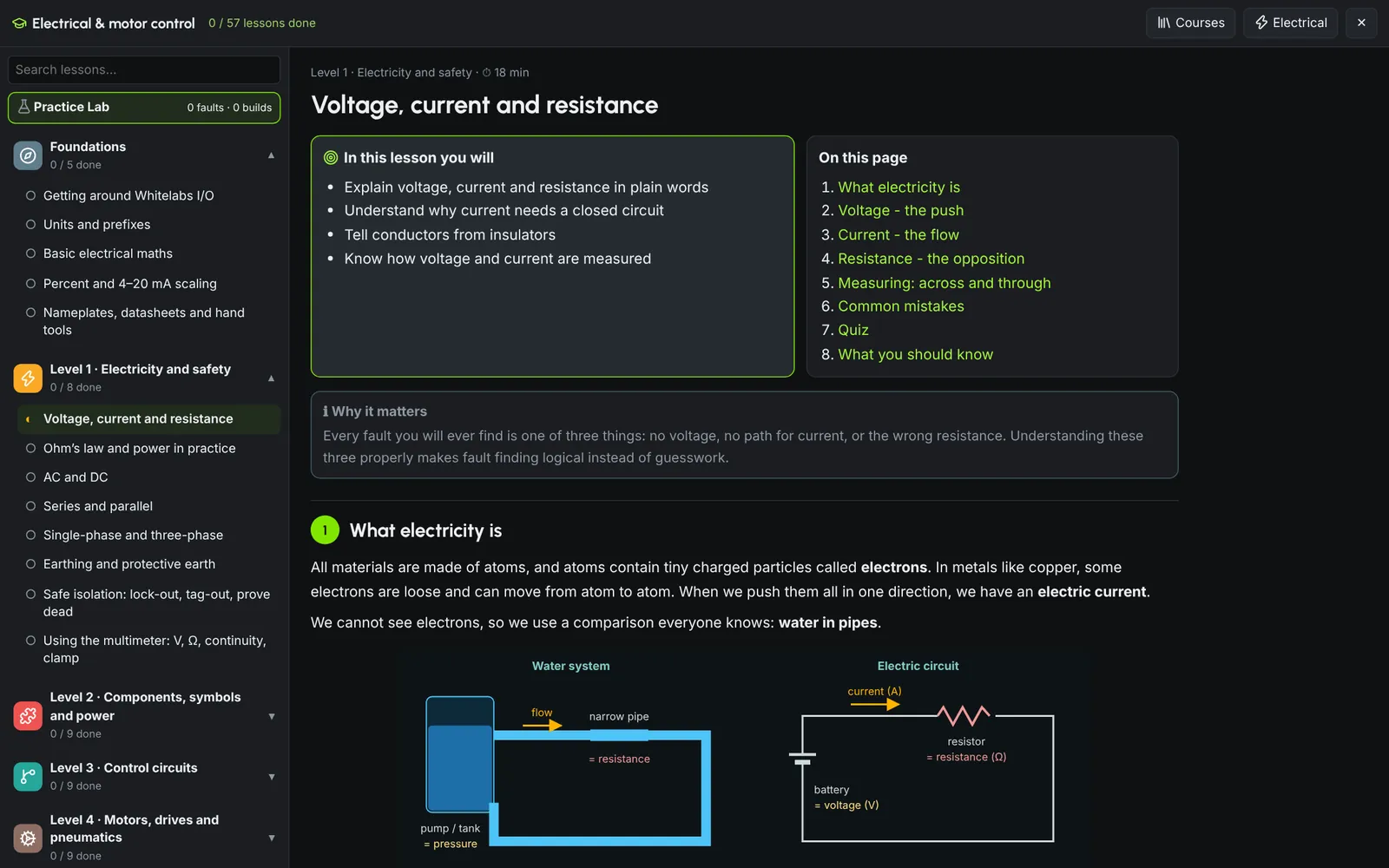
Learn the idea
Short lessons explain one thing at a time - why a contactor needs a holding contact, how a 4-20 mA loop carries a reading, what INPUT_PULLUP does. Each lesson opens a working circuit so you can see it, not just read it.
-
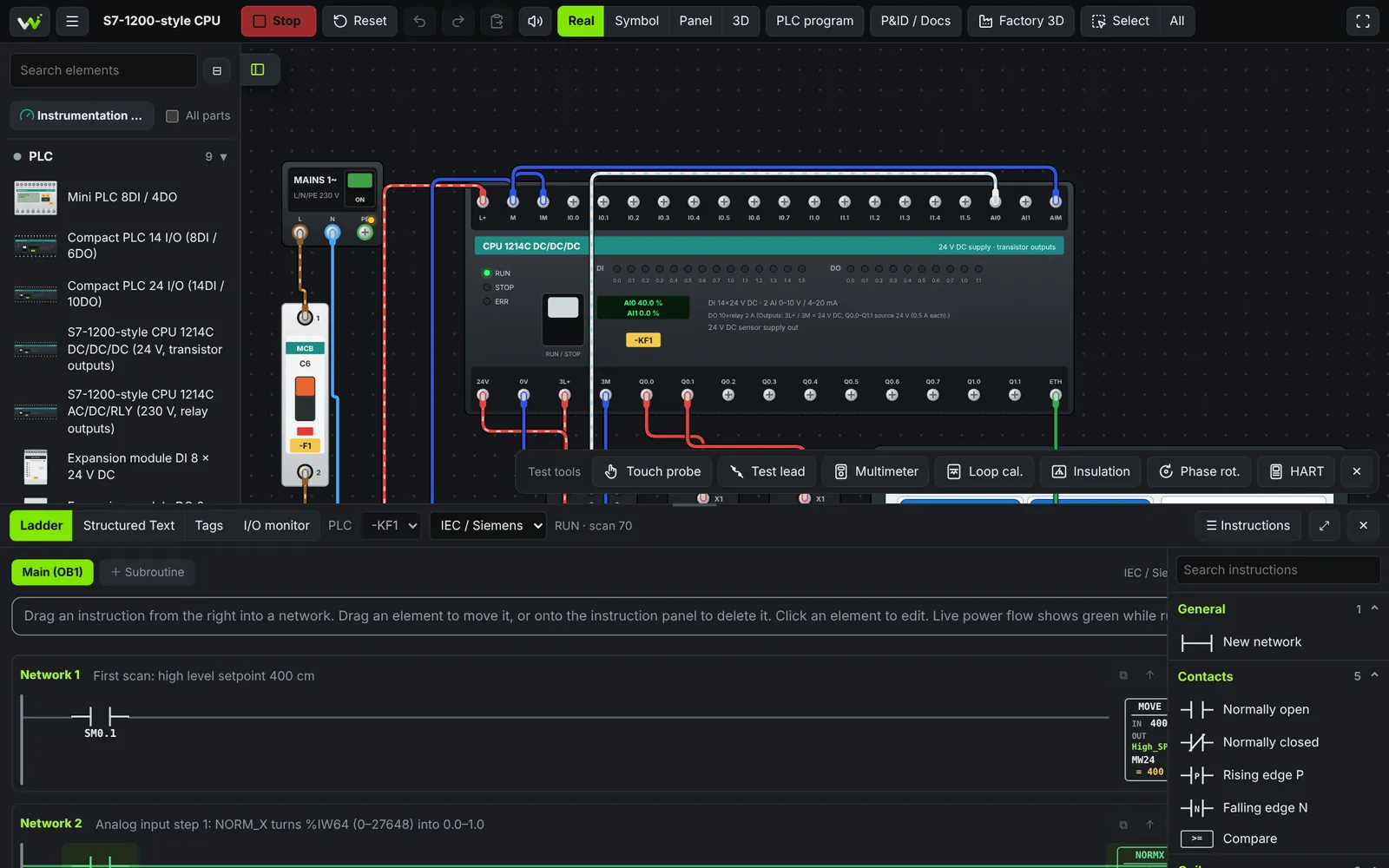
Build it and press Run
Drag parts in, wire terminal to terminal, and run it. Program a PLC in ladder, or an Arduino in C++, and watch the outputs switch, the motor turn and the meter read.
-
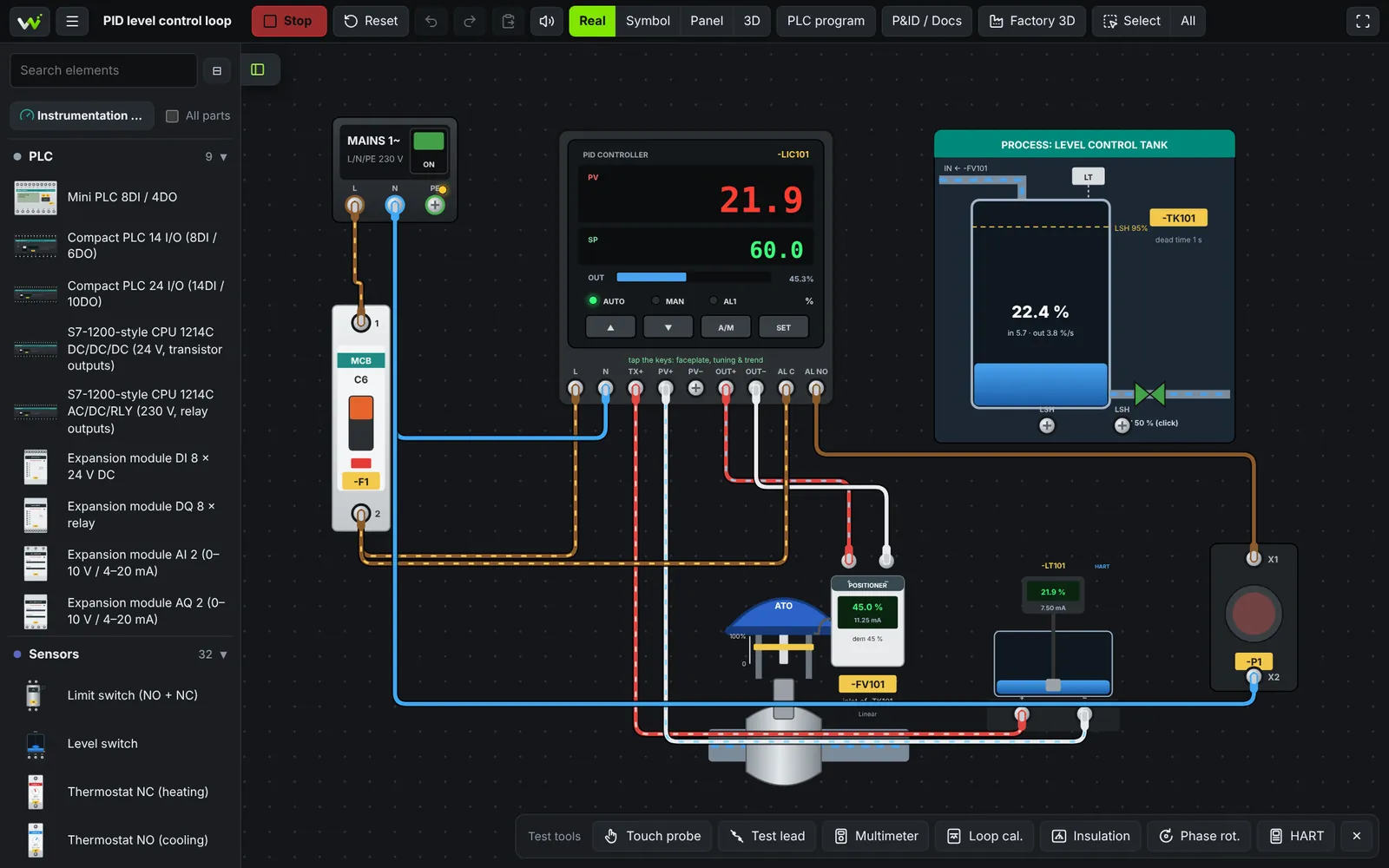
Find the fault
Practice faults break a working circuit on purpose: a loose wire, a tripped overload, a wrong setting, a bug in the code. Use the touch probe and multimeter like on site, name the cause, and fix it.
Code that talks to real hardware
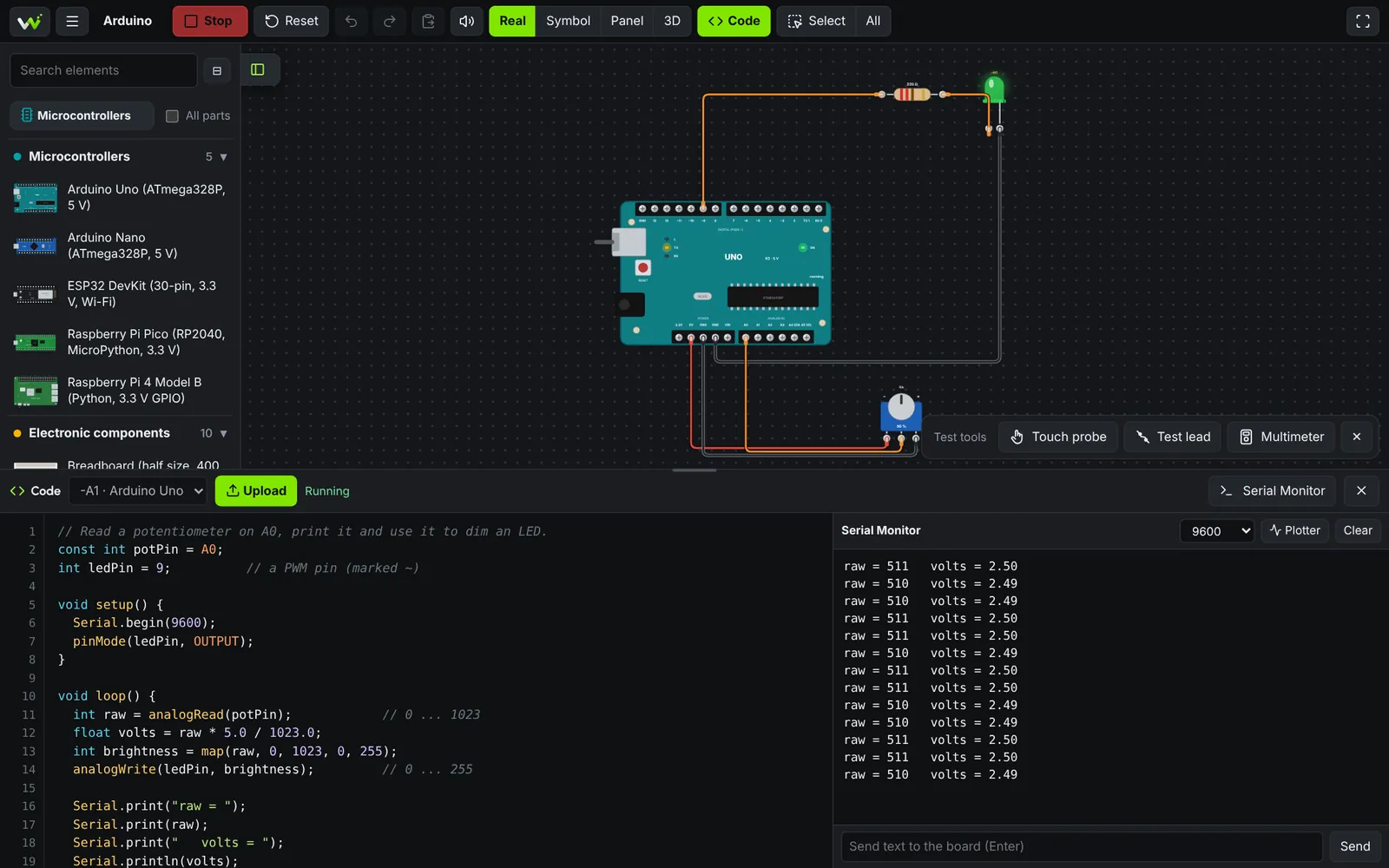
Write Arduino and ESP32 sketches in C++ or Raspberry Pi programs in Python, and run them on boards wired to LEDs, sensors, relays, servos and motors. Mistakes behave like the bench: an LED without a resistor burns out, 5 V on a 3.3 V pin damages it, a floating input flickers.
- Error messages with the line number, the way the Arduino IDE and Python show them
- Serial Monitor, Shell and a plotter for your readings
- ESP32 sends readings to an IoT dashboard over Wi-Fi
Made for the way you actually learn
Runs on the phone you have
No install and no laptop needed. It works in the browser on an ordinary Android phone, with touch controls built for small screens.
Light on data
About half a megabyte to start, then it is stored on your device. Simulations keep running when the network drops.
Nothing burns, nothing to buy
Short a supply, reverse a motor, put mains on a 24 V coil. See what happens, then reset and try again.
A meter that tells the truth
The multimeter, test lead and insulation tester measure what is really in the circuit, so the habits you build carry over to site.
Faults like a trade test
280 broken circuits, each with one real cause to find. You earn stars for finding it quickly and with fewer measurements.
Progress that follows you
With a free account your projects and lessons are saved to the cloud. Start on your phone, carry on at the training centre.
For schools and training centres
Every student gets a full workshop on their own phone - no consumables, nothing to burn out, no queue for the one trainer board. Instructors can set a lesson, let students build it, then break it with a fault challenge.
- Lessons follow the trade: from first circuits to commissioning
- Fault challenges work like a trade test
- Class view for instructors, with each student's progress, is coming next
Plans
Free while in preview
Everything is open while Whitelabs I/O is in preview: all tracks, lessons, examples, Factory 3D and fault challenges. Create an account to save projects to the cloud and keep your progress on every device.
Paid plans for individuals and schools will come later. Projects you make during the preview stay yours.
Questions
Do I need to install anything?
No. It runs in the browser on Android, iPhone, Windows, Mac and Linux. On a phone, use it in landscape for big circuits.
Do I need an account?
No. Press Try it free and start building. Without an account your projects stay on this device. Create an account to save them to the cloud and open them anywhere.
Does Factory 3D work on a phone?
Yes. It loads only when you open it, and you orbit, zoom and walk with your fingers. On older phones, switch the factory building off for smoother movement.
Does it work on slow data?
Yes. The app is about half a megabyte and is stored on your device after the first visit, so it opens quickly and simulations run without the internet.
How real is the simulation?
Parts follow their real behaviour and terminal markings: contactors need a coil supply and a holding contact, overloads trip on current, transmitters drive 4-20 mA, and the multimeter measures what is really there. It is a training tool, not a design tool - always follow your local wiring regulations on a real job.
Can my school use it?
Yes. During the preview it is free for classes. A class view for instructors is the next big feature.